
Introduction
February may only be a short month, but the team have still managed to release lots of new features and improvements to Hexiosec ASM.
This month’s new Hexiosec ASM features and improvements include:
- A new Web Presence report.
- The ability to create and manage API keys in the app.
- A series of improvements that make the app, and your data, easier to navigate.
- A cross-scan dashboard, currently in beta.
Web Presence report
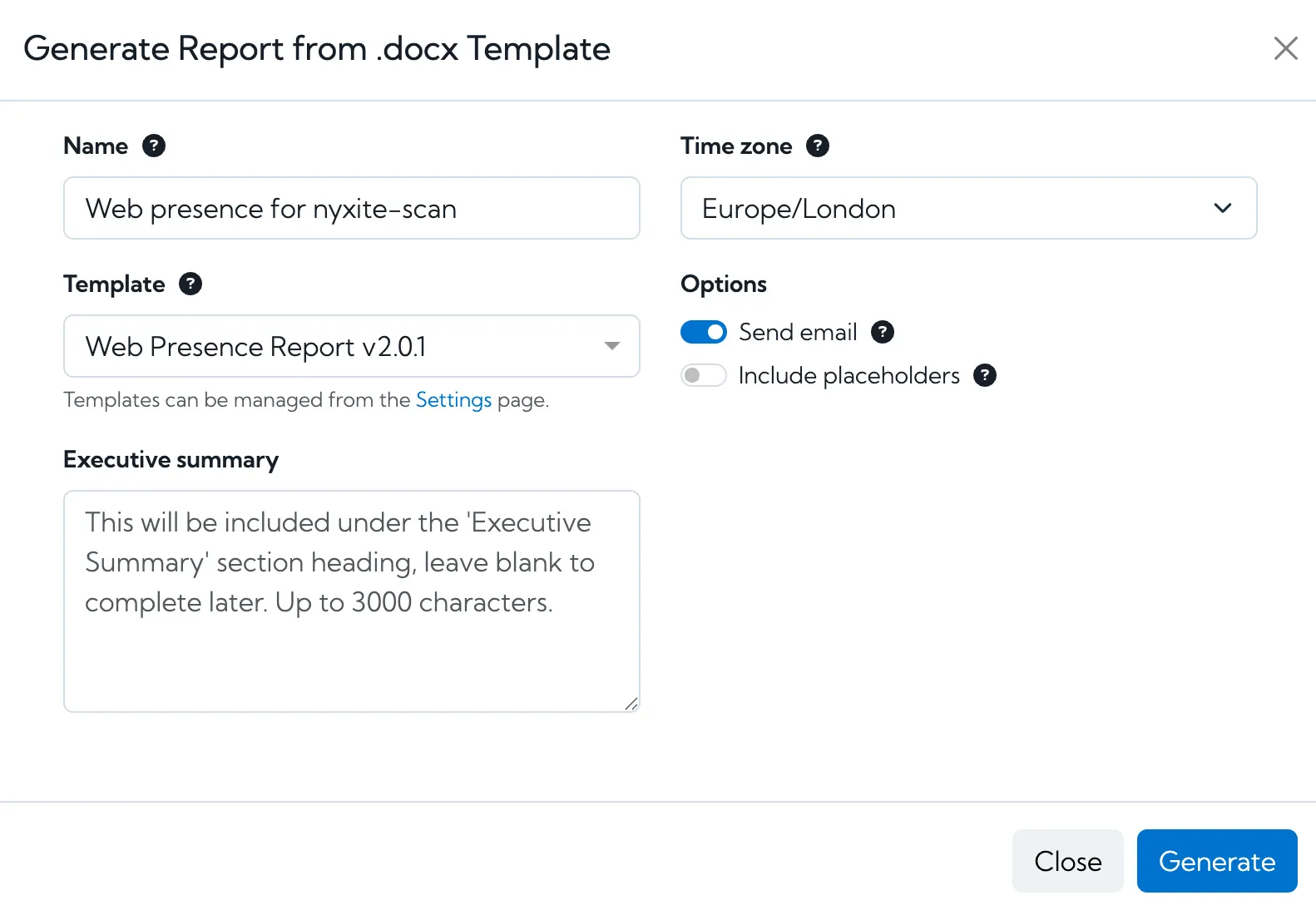
We’ve added a new report type to Hexiosec ASM. Web presence is a great way to visualise everything you have exposed online, and shows you what a user would see if they browsed to every URL identified on your attack surface.
Exporting this information in a report allows you to easily provide evidence where improvements are needed. This could be showing your board how many obsolete pages are still live that need budget allocated for removal, or even providing evidence to the team that owns it, that a subdomain has been taken over.
Web Presence reports are available to Enterprise and MSP customers. They can be generated under the “Report from .docx template” option. As the report is created as a Word document, you can add your own annotations to the report before sharing further.
If there are any other reports you would like to see added to Hexiosec ASM, please let us know by contacting [email protected].
Create and manage API keys in the app
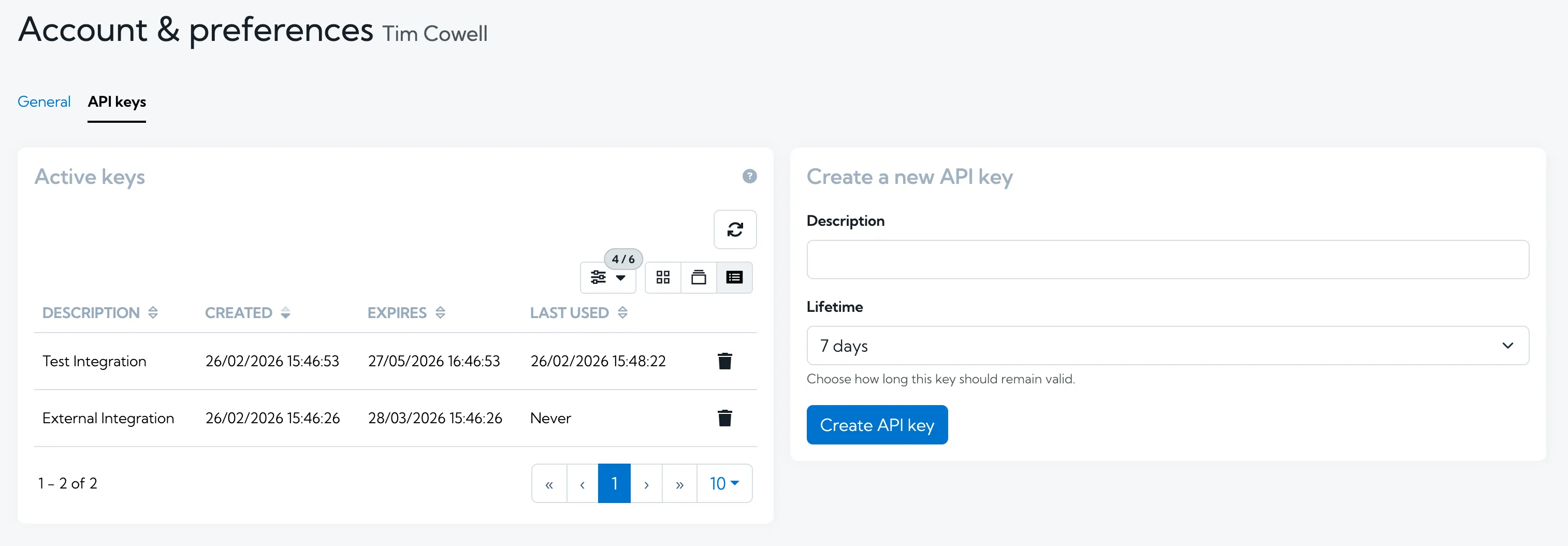
We’ve made it easier than ever to get up and running with the Hexiosec ASM API, by allowing you to create and manage your own API keys directly in the app.
API access isn’t included in all ASM plans. Please send a message to [email protected] to discuss upgrading you plan to get access to the API.
For more information on using the Hexiosec ASM API, you can view our API documentation and knowledge base pages.
More information on linked assets on the Explore page
When viewing the detail of a risk, component or IP address on the Explore page, there is now some additional information available about how many other assets it is linked to. We show:
- For risks, the number of services, domains, IPs or IP ranges it relates to.
- For IP addresses, the number of domains it relates to.
- For components, the number of services it relates to.
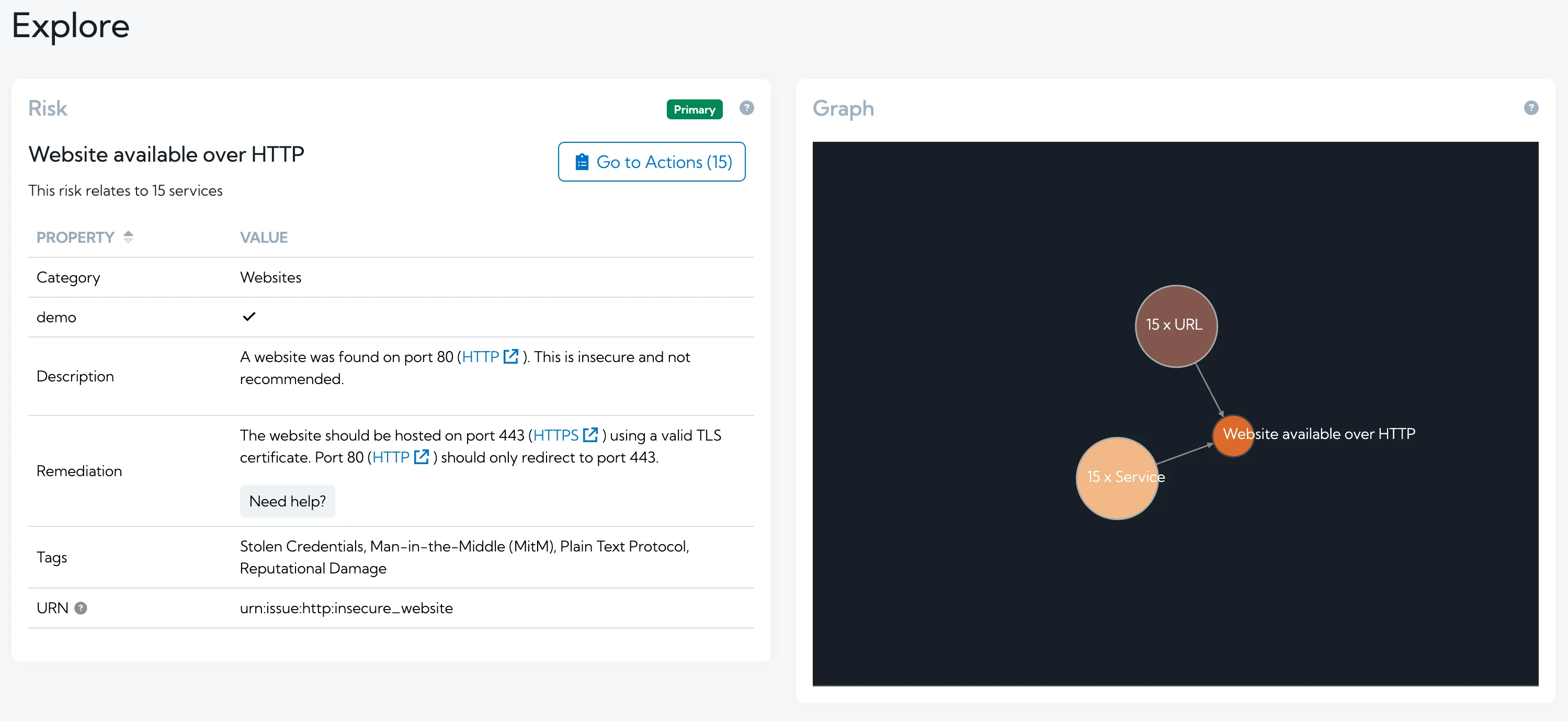
This extra information is minimal but helps you quickly understand the impact or scope of an asset in a scan. For example, you can easily see how many services might be impacted by a type of risk, or how many domains an at risk IP address might be used by.
Improved keyboard navigation when adding seeds
When adding seeds as part of creating a new scan, you can now use a series of keyboard shortcuts. This streamlines the process of creating a scan, particularly one with lots of seeds, and improves the usability and accessibility for users who primarily use a keyboard for navigation. The new shortcuts include:
- Press Enter to add a seed
- Press Shift + Enter to move to a new row when adding multiple seeds
- Press Control + Enter (or Command + Enter for Mac users) to submit the form and start the scan.
Organisation and scan group context added to scans
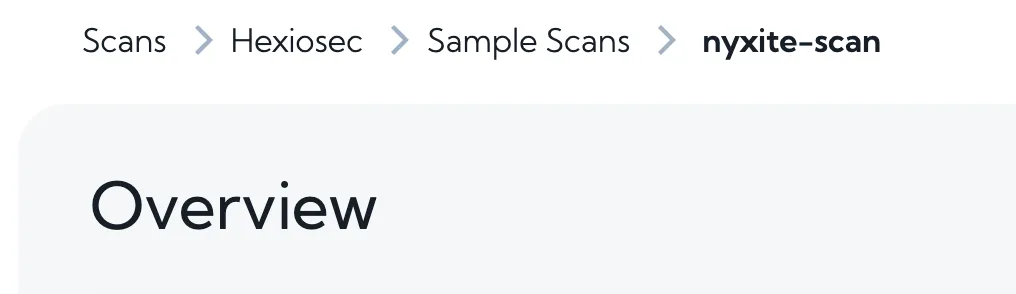
When looking a scan, you can now see the context of the organisation and the scan group that the scan is part of. This is particularly useful for users that have lots of different scans and/or groups, potentially across different organisations. For example, MSPs who use Hexiosec ASM to manage their customers’ scans. As well as providing users with context, it the group and organisation name are clickable, allowing you to navigate back through the layers.
Beta feature: cross-scan dashboard
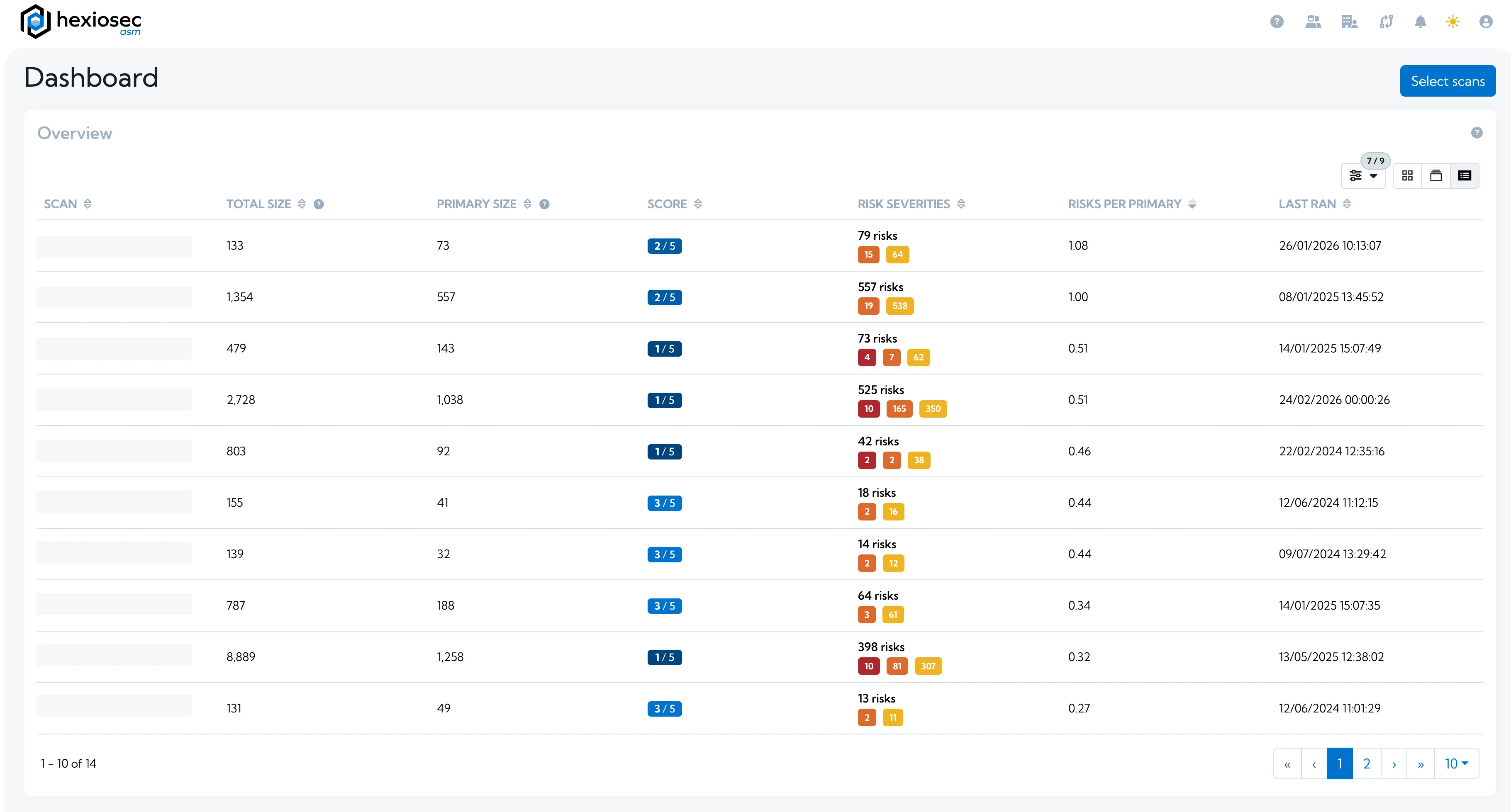
We have been working on a frequently requested feature for Hexiosec ASM: a dashboard to allow you to view and compare multiple scans side by side. You can select a set of scans, either manually or based on scan groups, and view them on a dashboard.
On the dashboard based on the scans you’ve selected, you can view, sort by and compare some key figures:
- Scan size (number of primary domains and IPs discovered)
- Health score
- Number of risks, by severity and category
- Number of risks per asset
Across the selected scans, you can also see:
- The domains with the most risks
- Total risks over time, by severity
- Newest risks, by severity
Would you like to be an early adopter of this dashboard?
We will be adding to it to include additional information and capabilities based on your feedback before we roll it out to all customers, so we’re looking for volunteers to try it out and let us know what additional capabilities you’d like to see. If you would like to be an early adopter and help shape the final version of this dashboard, please contact your account manager, or email [email protected].
This will be rolled out to all Enterprise and MSP customers in the future.
Coming soon
As always, we have many more exciting features in the works, including:
-
Security.txt checks - Hexiosec ASM will check for the presence of ‘security.txt’ and ‘robots.txt’ files, which are recommended to help security researchers report issues.
-
Tags - When a scan produces a large number of results, it can be challenging to manage them all. Hexiosec ASM will allow users to add tags to results, making it easier to filter and focus on the most important items.
-
Adding more context to risk descriptions - Hexiosec will provide additional context in risk descriptions, tailored to the specific asset the risk has been raised on.
If there are other features you’d love to see in Hexiosec ASM, or Hexiosec Transfer (our true end-to-end encrypted file transfer app), please let us know.
Related Posts